The photos on this page come from our own property video samples.
We used them because you can check every one yourself with the Before and After button.
Guide, updated 8 Nov 2026
We ran 18 property photos through one AI image model and measured the results. Six came back close to the original, with better light. In the other twelve the view moved or parts of the room were redrawn, and in some a floor, a counter or a desk changed. For a listing that matters: California now requires a label on altered photos, and several MLSs fine agents who skip it.
By Ahmed Durić, founder of Worvik
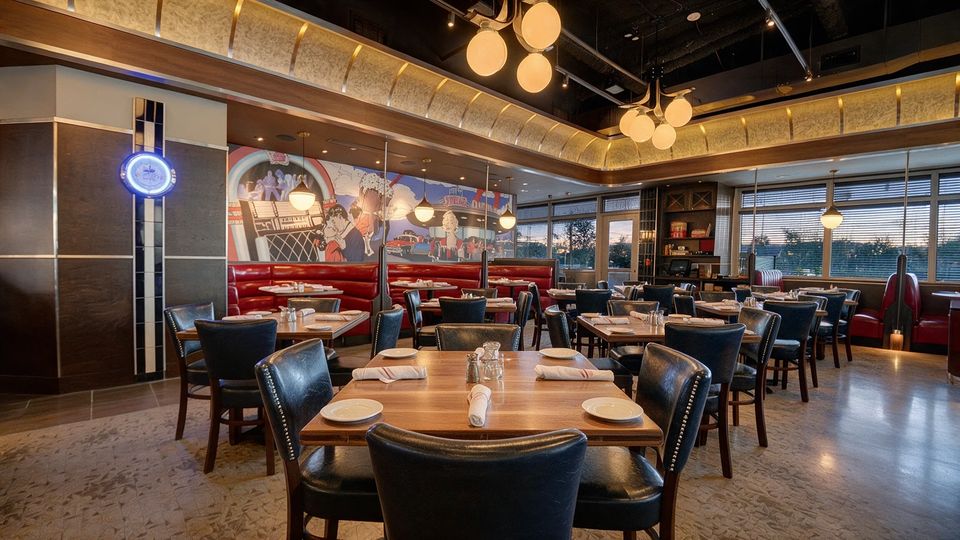
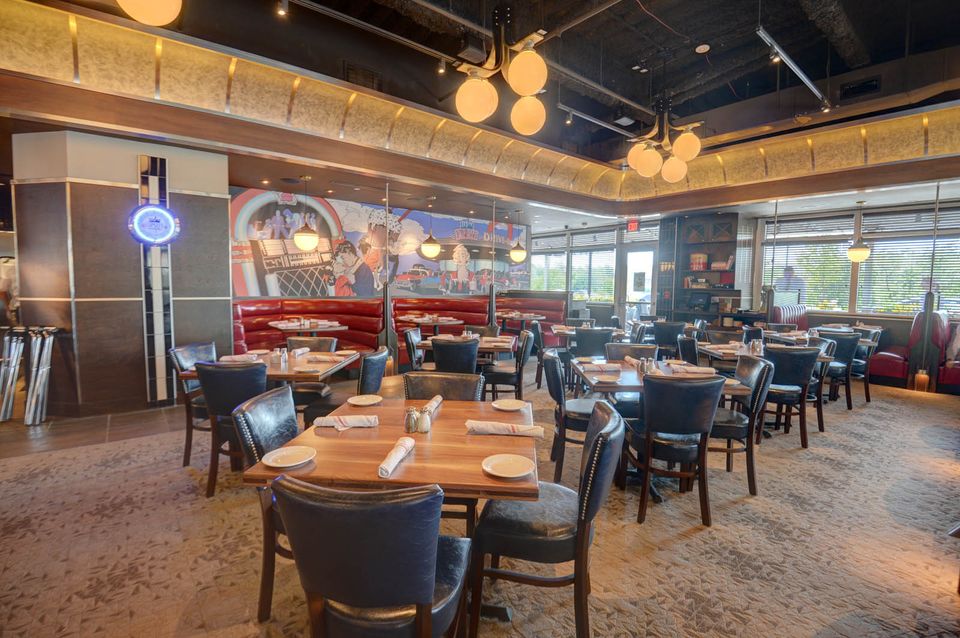
01Short answer
The 18 photos are our own test. The listing numbers are Coraly's count from the first quarter of 2026, as reported by HousingWire. Coraly sells image checking tools.
02What changed
Tap a photo to flip between the original and the AI version. The percent is how much of the picture still lines up with the original.

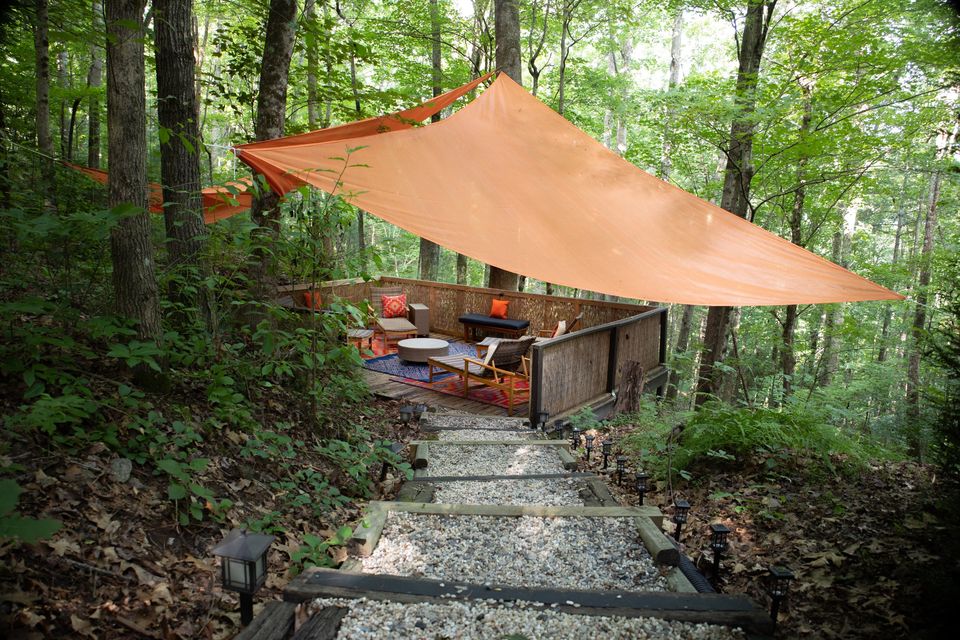
The same picture, a little brighter. This is the job you want from an enhancer.


Almost nothing moved, and the light stayed close to the original too.
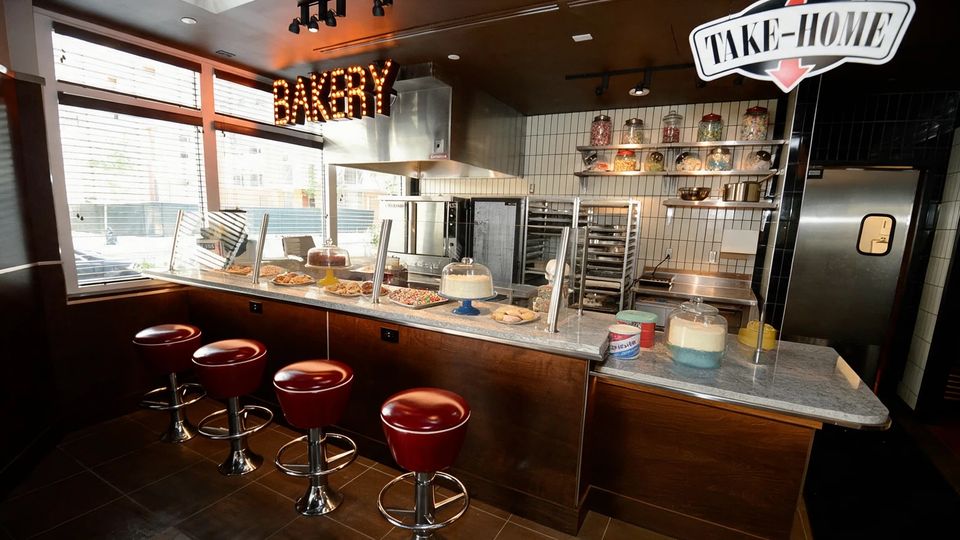

Lines up well and still changed. The register and its screen are gone, and trays of pastries appeared on the counter.


The desk at the front of the photo moved over to the wall, and the whole view got wider.
The patterned carpet turned into a polished floor.
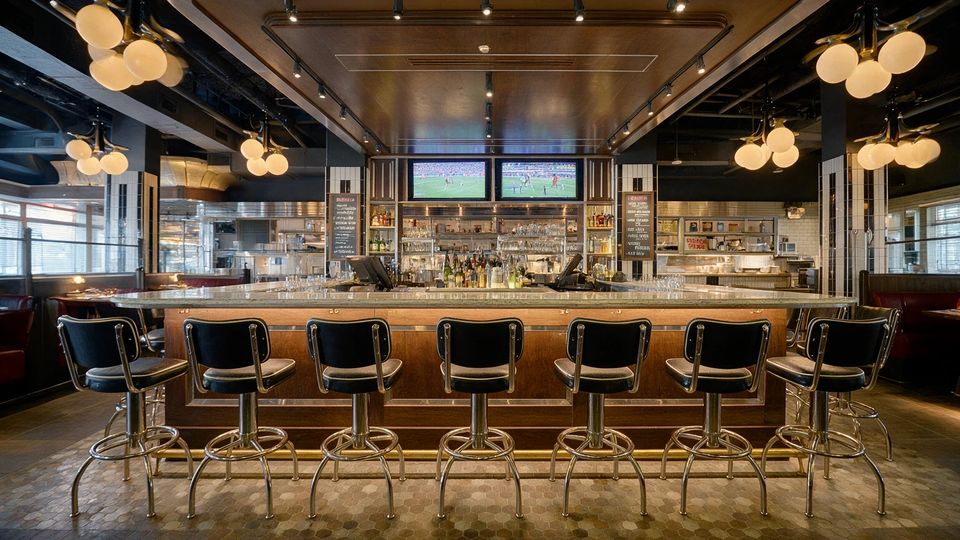

The view swung around to face the bar head on, and the corner of the bar is gone.
Example projects made from public photos of real places, to show the method. These places are not our clients.
03Our test
Six stayed above 80%. The other twelve are under 60%, and nothing landed in between.
Software matched detail points between each original and its AI version, then fitted one camera move to them. The percent is the share of points that fit. It is a rough measure: the bakery counter scored 84% and still lost its register, so we also compared the photos by eye. One AI image model, 18 photos, 15 of them hotel, spa and restaurant rooms and 3 of a condo.
04The line
The line runs between improving the photo and changing the property.
| The edit | How it is treated | What we would do |
|---|---|---|
| Brightness, color, sharpening, straightening, cropping | Left out by California, CRMLS and ARMLS, as long as the property still looks the way it is. | Go ahead. Keep the original anyway. |
| A new sky | ARMLS says changing the sky color does not count. Coraly counts sky swaps, and they were 69% of the altered photos it found. | Check your MLS. If you are not sure, label it. |
| Virtual staging | Counts as altered in every rule we read that mentions it. | Label it and show the empty room next to it. |
| Decluttering or removing objects | ARMLS lists decluttering as altered. California covers images that remove elements of a property. | Label it, and never remove something a buyer would want to know about. |
| Floors, walls, cabinets, landscaping | CRMLS says changing these is not allowed. | Do not do it in a listing photo. |
| Removing power lines, adding windows, enlarging a room | NAR names these as going too far, along with a digital remodel shown as the current condition. | Do not do it in a listing photo. |
From the NAR, CRMLS, ARMLS and HousingWire pages in the sources below. The last column is our opinion.
05The rules
There is no single national rule. NAR's Code of Ethics asks for a true picture in advertising and does not name AI, so the detail comes from states and local MLSs.
| Who | What counts as altered | What they ask for | If you skip it |
|---|---|---|---|
| CRMLS (California) | Adding, removing, replacing or changing things like furniture, appliances or decor. Brightness, color, straightening and cropping do not count. Changing floors, walls, cabinets or landscaping is not allowed at all. | A label such as digitally altered or virtually staged in the photo description, and the original right before or after it. | A warning, then a $250 fine if it is not fixed in time. |
| ARMLS (Arizona) | Adding, removing or significantly changing what the photo shows, such as decluttering, removing power lines or virtual staging. Changing the sky color does not count. | A Digitally Altered mark on the photo and the original directly before or after it. For videos and tours, the mark or those words in the description. | $200 a violation from December 2026. No fines before that. |
| Metro MLS (Wisconsin) | The report we read does not spell out where the line is. | A watermark, the original uploaded just before the altered photo, and the changes described in the public remarks. | $10 a day on an altered main photo until it is replaced, and a separate $10 for a missing watermark. |
| California law, AB 723 | Images that add, remove or change elements of a property, including what is visible from it. Exposure, sharpening, white balance and color correction generally do not count. | Disclosure in ads, and access to the original. Applies to licensed agents and brokers, in force since 1 Jan 2026. | Not stated in the reports we read. |
| Wisconsin law, Act 69 | Changes that create a false or misleading impression of the property. | Disclosure, from 1 Jan 2027. | Not stated in the report we read. |
Read on 8 Nov 2026. This is not legal advice, and rules change. The text of both laws would not open for us, so those two rows come from NAR, HousingWire, Real Estate News and The Close. Metro MLS comes from The Close. Your own MLS has the last word.
06How to use one
CRMLS, ARMLS and Metro MLS all want the original placed next to the altered photo. Without it you cannot follow the rule.
That is the part the rules leave alone. If your tool has a setting for it, start there.
Flip between the two and check the floors, counters, windows, doors and the yard. Our bakery counter looked fine until we did this.
Use the words your MLS asks for. Coraly's founder suggests labels as plain as "Sky digitally replaced."
The rules differ. ARMLS wants a mark on the photo. CRMLS says the description field is the place for the label.
07Prices
Three companies that publish a price. A cheap edit can still be the wrong edit, so read the table above first.
| Company | Published price | What the page offers |
|---|---|---|
| Imagen | US$0.32 a photo, or US$0.22 as an early-bird price. Custom from 25,000 photos a year. | Color, HDR merge, perspective, window pull and sky replacement, plus one-click virtual staging, twilight and green grass. |
| AutoHDR | Free plan with 10 credits a month, extra credits $0.80. $265 a month for 500 credits. $960 a month for 2,000 credits. | AI real estate photo editing. You pay only for what you download, and unused credits roll over. |
| BoxBrownie | Image enhancement US$2. Day to dusk US$5. Virtual staging US$30. | A photo editing service. The page does not say if the enhancement is done by a person or by AI. |
From each company's own page, opened on 8 Nov 2026. All three sell photo editing. We have not tested these products. Autoenhance's price table did not load for us, so it is not listed.
08Good to know
The photos on this page come from our own property video samples.
We used them because you can check every one yourself with the Before and After button.
Our walkthrough videos start with this same enhancing step, and ARMLS names videos and tours in its rule.
So if a walkthrough is going on a listing, treat it like an altered photo: label it and keep the originals next to it.
If you want to see the method on a hotel, a spa or a restaurant, the walkthrough examples are here.
For other ways to use video on a listing, see our real estate video ideas.
09Sources
Page date: 17 Aug 2026
Page date: 12 Oct 2026
Page date: 20 Oct 2026
Page date: not shown
Page date: 24 Jun 2026
Page date: 18 Jun 2026
Page date: 3 Sep 2026
Page date: 10 Jul 2026Sells photo editing
Page date: not shownSells photo editing
Page date: not shownSells photo editing
Every page opened on 8 Nov 2026. "Not shown" means the page carries no date. The California and Wisconsin laws would not open for us, so we rely on the NAR, CRMLS and trade press pages above for what they say.
10Questions
A tool that improves a photo with AI: light, color and sharpness, and sometimes a new sky or added furniture. Some adjust the photo you gave them. Others draw a new picture based on it, which is what happened with most of our 18.
It depends on what changed and where you list. Brightness, color and cropping are left out by California, CRMLS and ARMLS. Adding, removing or changing what is in the photo needs a label and the original next to it under those rules. Check your own MLS.
ARMLS says changing the sky color does not count as altered. Coraly counts sky swaps as alterations, and its founder suggests the label "Sky digitally replaced." Ask your MLS, and label it if you are not sure.
The published prices we read run from $0.22 to $2 an edit. Imagen lists US$0.32 a photo, or US$0.22 as an early-bird price. AutoHDR has a free plan with 10 credits a month. BoxBrownie lists image enhancement at US$2.
We did not test products against each other, so we will not name a winner. Whichever you pick, compare every result with the original before you use it.
No. They are example projects made from public photos of real places, to show the method.
No. It is what we read on 8 Nov 2026, with sources. Rules change, and your broker or MLS has the final say.
11Explore
User-generated content, UGC ads and AI UGC, explained
Six formats, how they run, and what the numbers really say
52 opening lines from our samples, sorted into 10 types
Five beats, a fill-in template and four real scripts
Creator rates, add-ons and a calculator
Cost, speed and rights, side by side
Walkthroughs from photos, 3D fly-throughs and more, with examples
What the most-searched injury firms put on their homepages
Send up to 6 photos of one place. Your first walkthrough is free.
Claim my free walkthrough

